Sending posts automatically
Setting up the post notification — in such a way that nothing goes wrong with the first published post.
Read step 1 first
The module sends to your real list as soon as a post is published. Set it up completely and try it out on a test group before you publish the next post.
The module in five steps
All on one page: Newsletter → Configuration → Modules → Post notification. First the overview, the details are below.
1 Switch the module on: Module activated to Yes The settings below appear only after that.

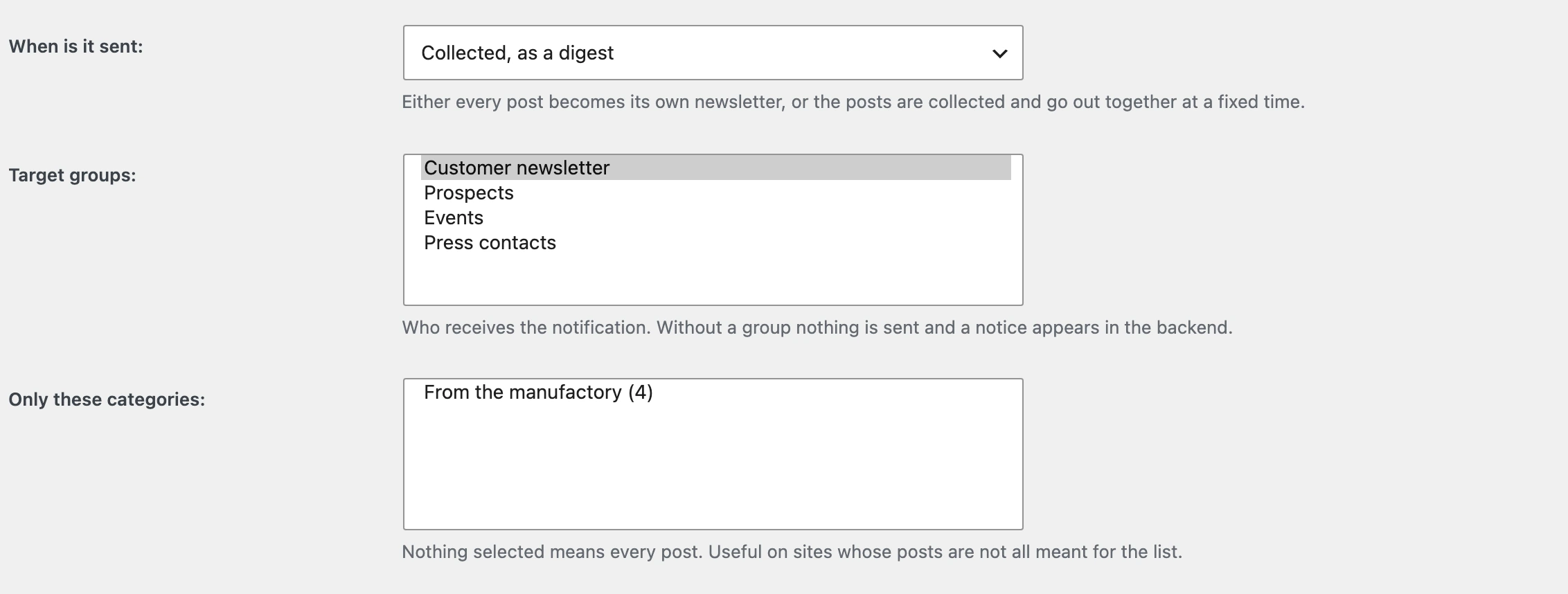
2 Choose how it is sent — right away or collected — and who receives it Without a group nothing is sent and a notice appears in the backend. That is the most common reason for „the module does nothing“.
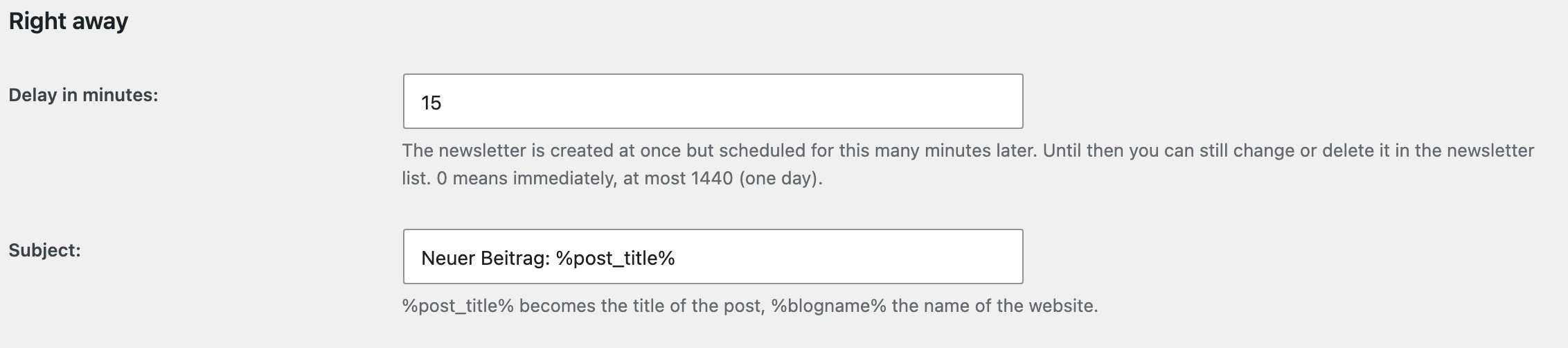
3 Leave the delay as it is: 15 That is your window. For that long the newsletter sits in the list and can still be changed or deleted.
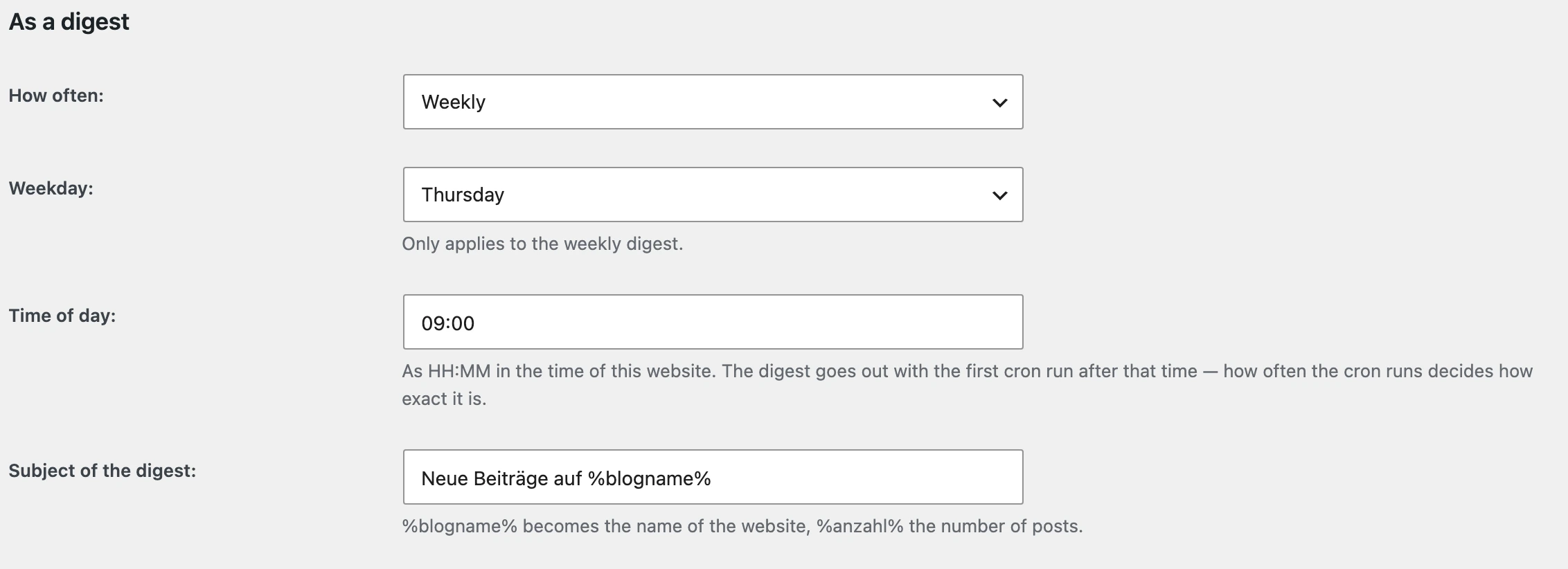
4 Or collected: how often, weekday and time Publishing several times a week otherwise means several e-mails instead of one.
5 Save settings Above it stands how many posts are waiting for the next digest — that is how you see that collecting works.

1. A test group
Newsletter → Groups → Add, name it Test. Put only yourself in it.
Until you have seen the whole path once, that is the target group.
2. Switch the module on and configure it
Newsletter → Configuration → Modules → Post notification
| Setting | For the trial run |
|---|---|
| Module activated | Yes |
| When to send | Immediately |
| Target groups | Test |
| Only these categories | leave empty |
| Layout | your usual template |
| Delay in minutes | 15 — as it stands |
| Subject | New article: %post_title% |
Save.
Without a target group nothing happens
Instead of a newsletter, a message appears in the backend. That is the most common reason for „the module does nothing".
3. Publish a post
Take a real, short post — or create one and publish it.
Look at the newsletter list straight away. There is now an entry:
| Column | What it says |
|---|---|
| Name | „New article: …" |
| Date | now + 15 minutes |
| Status | Draft until it is scheduled, then the recipient count |
That is your window. During those 15 minutes you can open, inspect, change or delete the newsletter.
That is the real value of the delay
A typo in the post, the wrong image, a button pressed too early — without a window that reaches every subscriber, and a sent newsletter cannot be recalled.
Do not set the delay to 0.
4. Look at the mail
After the next cron run the mail is in your mailbox. Check:
| Is the title in it? | |
| Is the excerpt in it? | The post's own, otherwise one from the first 55 words |
| Is the featured image there? | Only if the post has one |
| Does the read-on link lead to the post? | Click it |
| Is the layout right? | Header, footer and unsubscribe link come from the template |
The mail contains the teaser, not the whole post
Two reasons: the full post text could not be held together in Outlook — blocks and shortcodes produce HTML the Word engine does not render. And the teaser brings readers onto your website.
5. Look after the excerpt
The excerpt is what appears in the mail. Write it yourself, in the post under Excerpt in the sidebar.
Without an excerpt of your own, one is made from the first 55 words — and those are often the ones that say nothing yet.
6. Switch to the real group
Only once steps 3 to 5 have gone well twice:
Target groups to your real group. And then look at the newsletter list once more with the next post.
The digest
If you publish several posts a week, one mail per post is too much.
| Setting | |
|---|---|
| When to send | Collected, as a digest |
| How often | Daily or weekly |
| Weekday | Only for the weekly one |
| Time | HH:MM in your website's time zone |
| Digest subject | News from %blogname% — %anzahl% gives the number of posts |
The waiting posts are listed at the bottom of the module page. That is how you see that collecting is happening.
The time is approximate
The digest goes out with the first cron run after the configured time. The cron depends on page views; in practice „08:00" becomes „some time in the hour after 08:00", plus the delay.
If you need it more precisely, set up a real cron job — Sending settings.
Only certain categories
If not every post is meant for the list: Only these categories.
Nothing selected means: every post.
A category of your own called „Newsletter"
Create a category you only attach to the posts that should go out, and select only that one here. Then you decide while writing, not in the settings.
When nothing is triggered
This list is the real value of the module:
| Case | |
|---|---|
| An import is running | Hundreds of posts in a loop would be hundreds of newsletters |
| The post was already published | Editing triggers nothing |
| A mail already went out for this post | Unpublishing and publishing again does not produce a second one |
| A post type other than „post" | Pages, products, custom post types |
| A password-protected post | The excerpt would be in the mail, the password would not |
| The wrong category | See above |
| No group configured | A message appears in the backend |
What to do if something did go out that should not have?
Straight to the newsletter list. As long as the status is Draft or the date is in the future, delete the entry — then nothing goes out.
If it is already scheduled and running: Cancel sending / Reschedule in the form. What is already out stays out; the rest will not go.
The shorter the time since the date, the less has happened. That is exactly what the delay is for.