Maintenance
Newsletter → Configuration → Settings → Maintenance
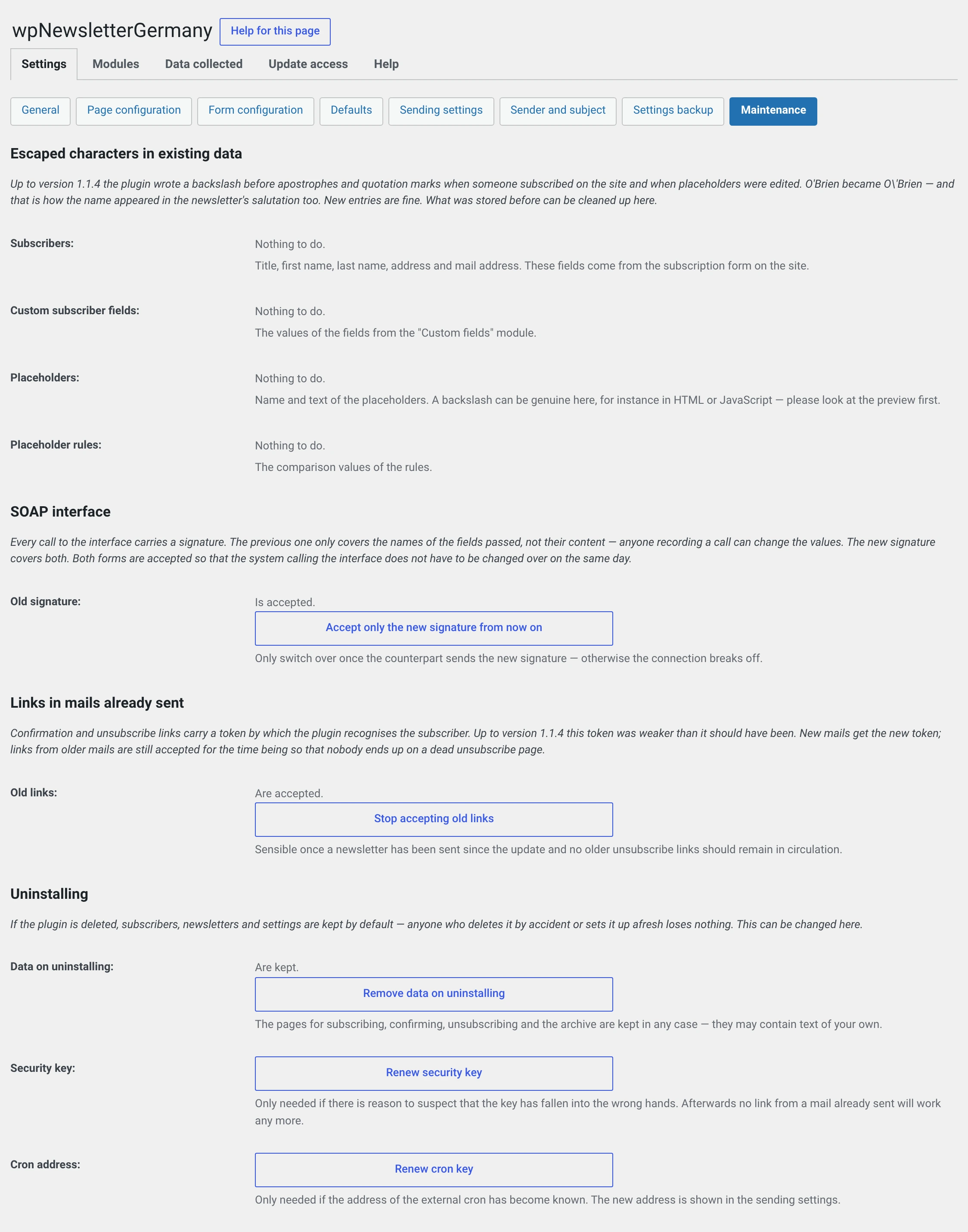
New in 2.0. This is where the jobs live that you rarely need and then need immediately: cleaning up legacy data, renewing keys, deciding what happens on uninstall.
Why this page exists
Everything here would once have been a command line command. On shared hosting there is no shell — what you cannot call does not help you.
Escaped characters in legacy data
Up to 1.1.4 the plugin wrote a backslash in front of apostrophes and quotation
marks when somebody signed up on the website. O'Brien became O\'Brien in
the database — and that is how the name appeared in the newsletter's
salutation, too.
New input is fine. What was stored before can be cleaned up here.
The page shows per area how many fields are affected, and up to fifteen of them with Now and After side by side.
| Area | Cleaned up automatically on update |
|---|---|
| Subscribers (salutation, name, address, postal address) | yes |
| Values of the subscriber variables | yes |
| Placeholders | no |
| Placeholder rules | no |
Why the last two do not run automatically
In a name or a postal address, a backslash before an apostrophe is never intended. In a placeholder it can be genuine — HTML or JavaScript with escaped quotation marks sometimes lives there. The plugin does not touch those areas without your explicit decision.
Look at the examples before clicking Clean up this area. You are asked whether you have a database backup.
If it says „Nothing to do." everywhere, the matter is settled — on a fresh installation from the start.
SOAP interface
Appears only if the SOAP module is running.
Every call to the interface carries a signature. The previous one covers only the names of the fields passed, not their content — anyone recording a call can change the values. The new one covers both.
Out of the box both forms are accepted, so that the calling system does not have to be switched over on the same day.
Accept only the new signature turns the old one off.
Only switch over when the other side is ready
Calls will fail afterwards as long as the third-party system sends the old form. There is no deadline — every installation decides this for itself, and the switch can be reversed at any time.
Links in mails already sent
The same thing one level down: the confirmation and unsubscribe links the plugin writes into mails carry a signature. Up to 1.1.4 it was a weaker one.
Stop accepting old links rejects links from before 2.0.
Sensible once a newsletter has gone out since the update and no older unsubscribe links should be in circulation. Not before: otherwise the unsubscribe link in the mails your subscribers still have in their mailbox stops working — and an unsubscribe link that does not work is worse than a weakly signed one.
Uninstall
| Value | |
|---|---|
| Are kept | Default. Deleting the plugin removes no data |
| Are removed completely | Deleting removes everything, irrevocably |
More under Uninstalling.
The switch is missing while two packages are installed
If the other package sits next to this one — free next to paid or the other way round — a note appears here instead of the switch. Both share the tables; deleting one would take the other's subscribers away.
Order: first delete the package you want gone, then decide here.
Renew the security key
Regenerates the key that signs the confirmation and unsubscribe links.
Afterwards no link from a mail already sent works any more
No unsubscribe link, no confirmation link. Anyone wanting to unsubscribe has to use the form afterwards.
Only necessary if you suspect the key has fallen into the wrong hands — after a break-in on the website, say, or if a backup file with a password has gone missing. You are asked first.
The key appears in no input field and is nowhere visible. The other key — the one for the SOAP interface — is under General and is a different thing.
Renew the cron key
Regenerates the key of the cron address shown in the sending settings under "External".
Afterwards the previous address no longer works
Enter the new address from the sending settings in your host's cron job, otherwise no newsletter goes out. Only necessary if the address has become known. You are asked first.