Defaults
Newsletter → Configuration → Settings → Defaults
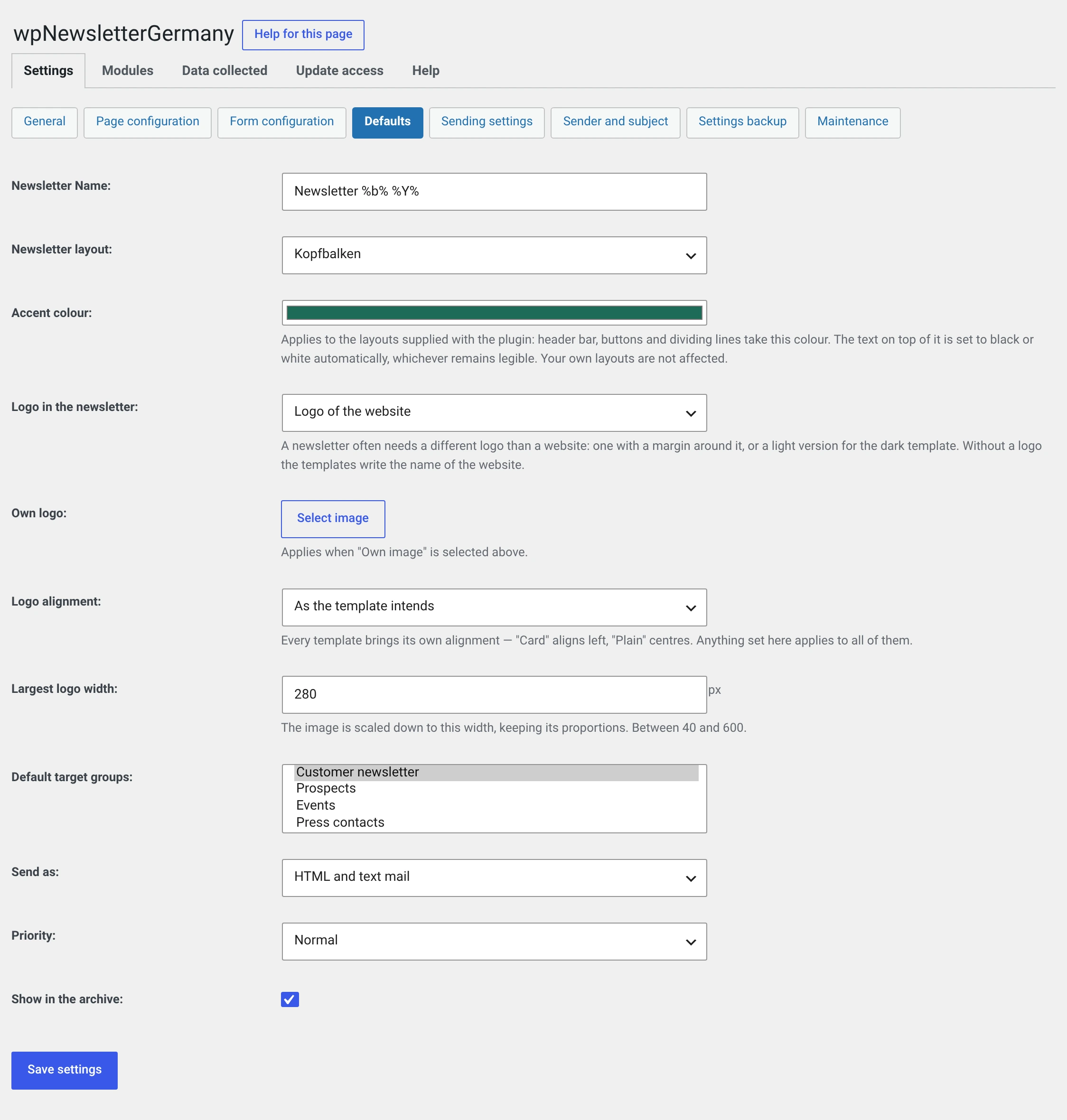
What a new newsletter suggests — and the three values that apply to all newsletters: accent colour, logo and its alignment.
A suggestion is a suggestion
The fields Name, Layout, Target groups, Send as, Priority and Show in archive pre-fill the form of a new newsletter. In the form you can deviate for every issue, and newsletters already written do not change.
The accent colour and the logo are a different matter: they affect every newsletter that has not been sent yet.
Name of the newsletter
Default Newsletter %b% %Y% — which gives „Newsletter Sep 2026".
All date placeholders are
allowed. Out of the box the name also ends up in the subject line, because the
subject is %nl_name%.
Layout of the newsletter
Which template a new newsletter suggests. The same thing can be set in the gallery under Newsletter → Templates with Use as default.
On a fresh installation this is Schlicht. Anyone who has already chosen something keeps it through the update.
Accent colour
Applies to the supplied layouts: header bars, buttons and dividers take this colour.
The text on top turns black or white by itself, whichever stays legible. You cannot paint yourself into an unreadable combination here and do not have to choose a second colour.
Your own layouts are left untouched.
Use the colour of your website
A newsletter that looks like the website it comes from is more readily recognised as genuine. You can find the colour in your theme's Customizer.
Logo in the newsletter
| Choice | |
|---|---|
| Site logo | Default. First the theme's logo, failing that the site icon |
| Custom image | An image from the media library, see below |
| None, the site name | The template writes the name as text |
If no logo appears
Then none is stored in the Customizer (Appearance → Customizer → Site Identity → Logo). The plugin cannot guess it and writes the site name instead.
Custom logo — applies only with Custom image. A newsletter often needs a different logo from a website: one with padding around it, or a light version for the Dunkel template.
What is stored is the image's ID, not its address. Replace the file in the media library and you have replaced it in the newsletter too.
Logo alignment — As the template intends (default), left, centre, right. Every template brings its own: Karte aligns left, Schlicht centres. What is set here applies to all of them.
Maximum logo width — default 280, allowed 40 to 600. The image is scaled down to this width, keeping its aspect ratio.
Why width and height are written into the image
Without width and height on the image, Outlook draws a logo at its
full pixel width — a logo 1400 pixels wide then blows the mail apart. So
the plugin calculates both values and writes them along.
Default target groups
Which groups a new newsletter suggests. Saves two clicks per issue — and prevents the mistake of forgetting a group.
Send as
| HTML and text mail | Default |
| HTML mail | HTML only |
| Text mail | text only, no template and no open tracking |
Priority
Ends up as a header in the mail — and only with the PHP mailer route. It changes nothing about the sending, and in particular it is not an order in the queue.
Leave it on Normal.
Show in archive
Whether a new newsletter carries the checkbox that later puts it on the archive page. Default: yes.