Page configuration
Newsletter → Configuration → Settings → Page configuration
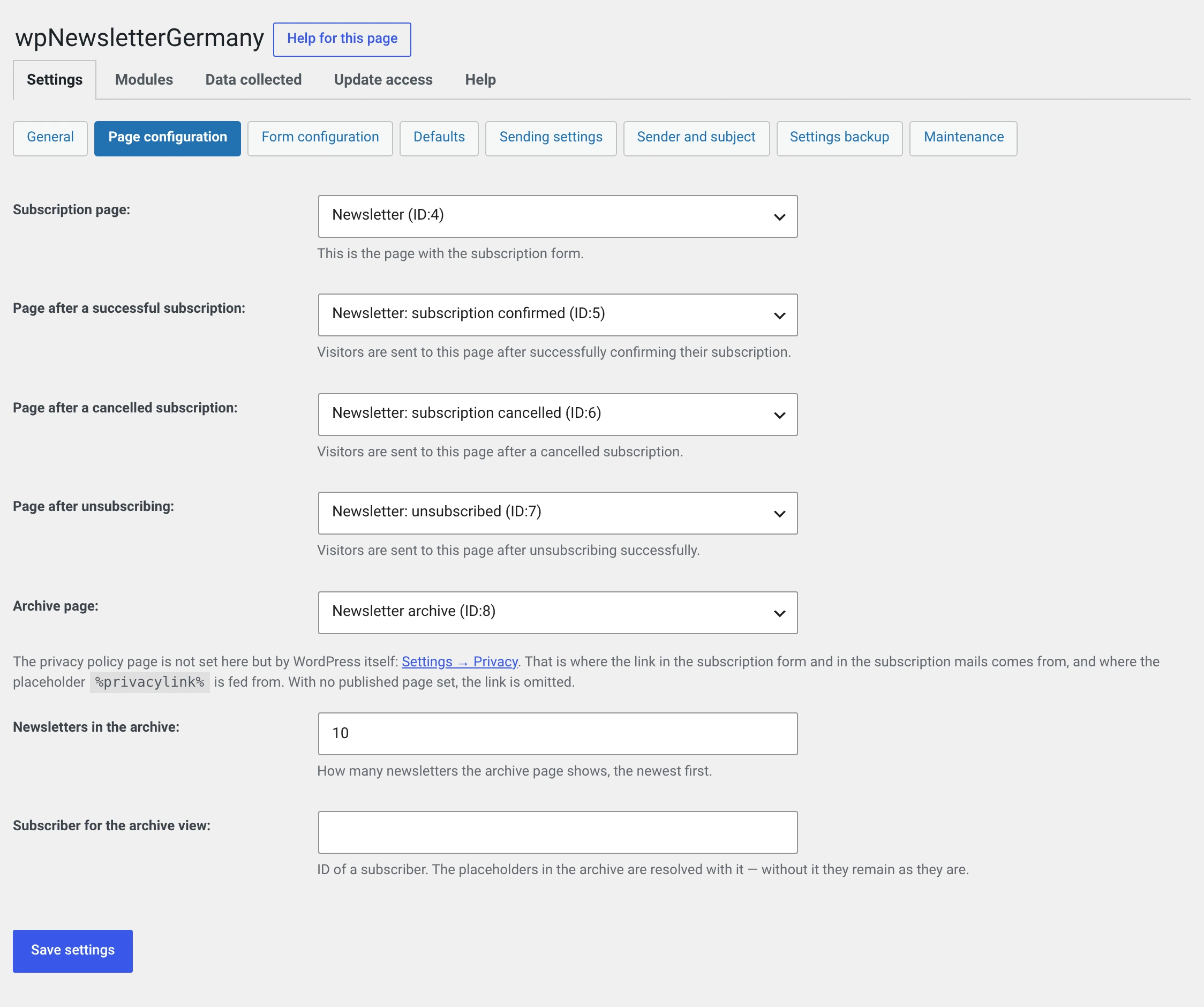
Here you tell the plugin which pages of your website play which role.
The plugin does not create the pages
You create them yourself under Pages → Add New and enter them here. As long as one is missing or not published, a red box at the top of the backend lists the missing ones.
Why not automatically: a page a plugin creates unasked shows up in the menu, in the search index and in the sitemap, and nobody knows where it came from.
The five pages
| Setting | What happens on it |
|---|---|
| Registration page | The plugin replaces the content with the subscription form |
| Page after successful registration | Where people land after clicking the confirmation link in the mail |
| Page after cancelled registration | Where people land after withdrawing the subscription through the cancel link |
| Page after unsubscribing | Where people land after unsubscribing |
| Archive page | The plugin replaces the content with the list of archived newsletters |
On the registration page and the archive page the content is replaced — write at most an introductory sentence there, it is not visible on the front end. On the other three your own text stays, and the plugin inserts its message above it.
The three destination pages are left out of automatic page lists
Since 2.0.1 the plugin keeps the pages after subscribing, cancelling and unsubscribing out of the lists WordPress fills by itself: the fallback menu of a theme without a menu of its own, the pages widget and the Page List block. They are the end of a process, not somewhere to go.
The registration page and the archive stay — those are pages a visitor looks for.
The pages remain published and reachable, and they still appear in a menu you build yourself. Nothing changes in the backend.
What belongs on the three destination pages
A sentence confirming what happened — and a way onward. A visitor landing on a page that only says „thank you" is at a dead end.
- After subscribing: „Thank you, your subscription is confirmed. The next issue comes out at the beginning of the month." Plus a link to the archive.
- After cancelling: „Your subscription was cancelled, nothing has been stored."
- After unsubscribing: „You have been unsubscribed." And, if there are several lists, a note that the others carry on.
The privacy page is not here
WordPress manages it itself: Settings → Privacy. That is the source of
- the reference in the subscription form („Please see our privacy policy."),
- the reference in the subscription mails,
- the value of the placeholders
%privacyurl%and%privacylink%.
If no published page is set there, the reference is simply left out — a link to nothing would be worse than none at all.
That is the normal state of a fresh WordPress installation: WordPress creates the „Privacy Policy" page as a draft. Publish it.
Newsletters in the archive
How many issues the archive page lists, newest first. Default 10.
Subscriber for the archive view
The number of a subscriber. The placeholders are resolved with them when a newsletter is viewed in the browser or in the archive — there is no recipient there, after all.
Without an entry the personal fields stay empty: „Dear ,".
Do not enter a real person here
The salutation and name of the entered subscriber appear on a publicly reachable page. Create a subscriber of your own for it — „Ms Sample" on an address that belongs to you.
Their number is in the subscriber list in the Id column.