Templates (layouts)
A template is the shell a newsletter is sent in: header, logo, dividers, footer, legal details and the unsubscribe link. Your text from the editor sits inside it in a single cell.
Why this exists: an e-mail is not a web page. Outlook renders with the Word engine and knows neither flexbox nor modern stylesheets. The templates are built for that — tables, styles on the elements, conditional comments for Outlook. That is not something you write in the editor on the side.
The gallery
Newsletter → Templates
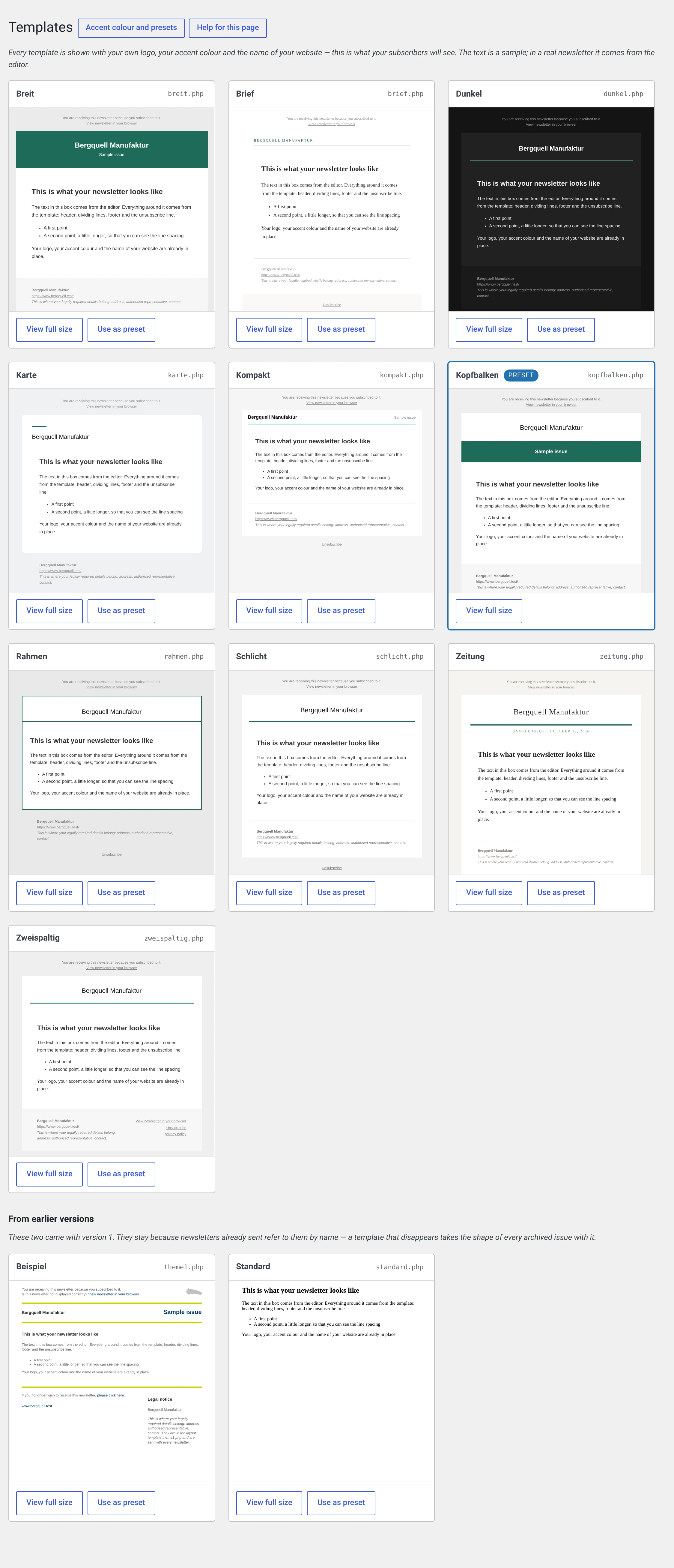
What is shown is not a vendor's marketing image but your template: with your logo, your accent colour and the name of your website. The text is dummy text; in a real newsletter it comes from the editor.
| View full size | Opens the template on its own in the window |
| Use as default | From now on every new newsletter suggests this template. Ones already written stay as they are |
For a single issue, pick the template in the newsletter form under Layout (HTML).
The ten templates
Three of them are in the free package, seven come with the Pro and Enterprise editions.
The template names are German
They are read from the template file itself and are not translated, so the selection in the backend says Kopfbalken and not header bar. This manual uses the names as they appear on your screen, with the meaning next to them.
Schlicht — „plain" · Lite
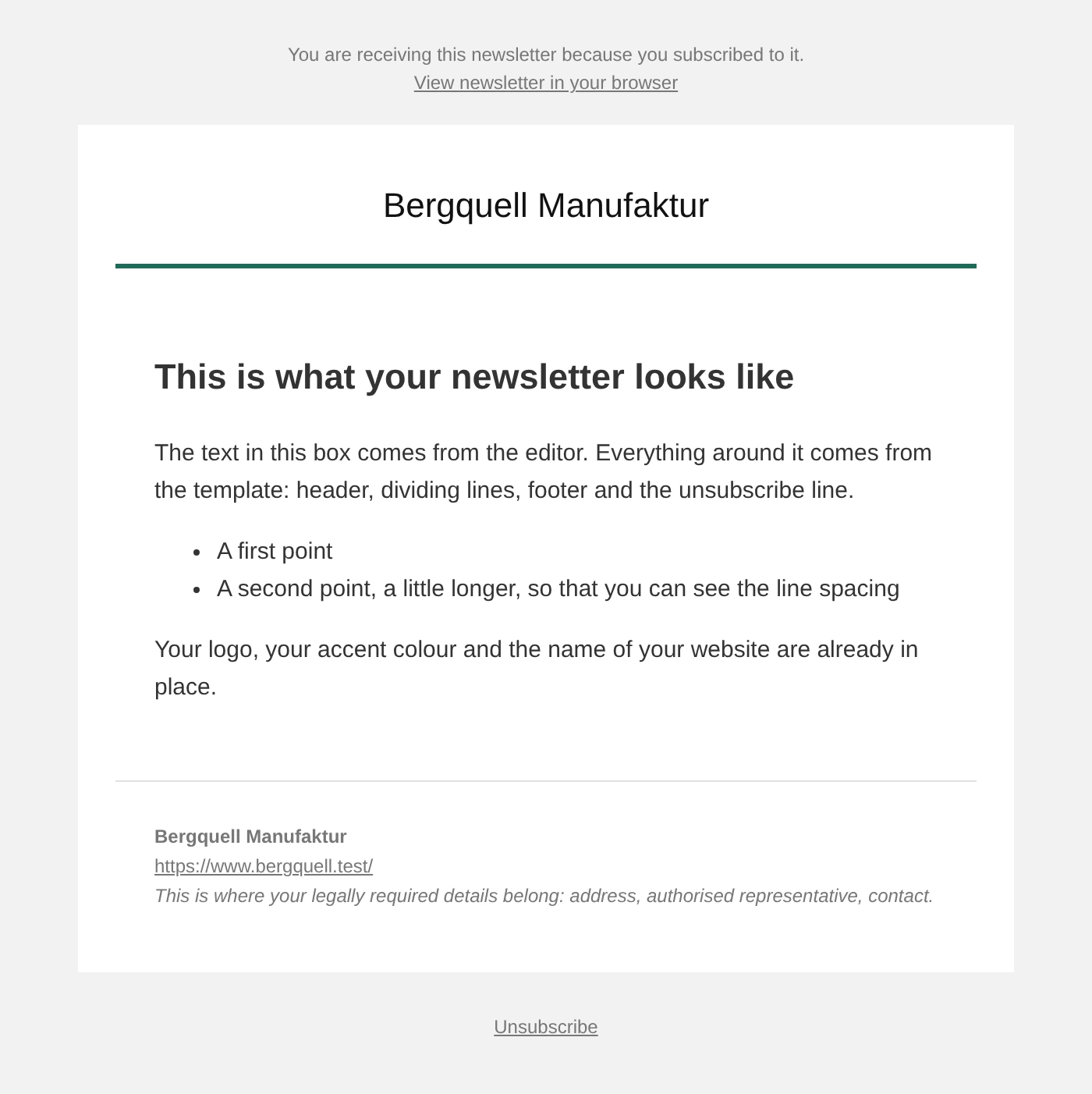
Typography only, one accent line, a terse footer. The default for a fresh installation — it does nothing wrong and distracts from nothing.
Kopfbalken — „header bar" · Lite
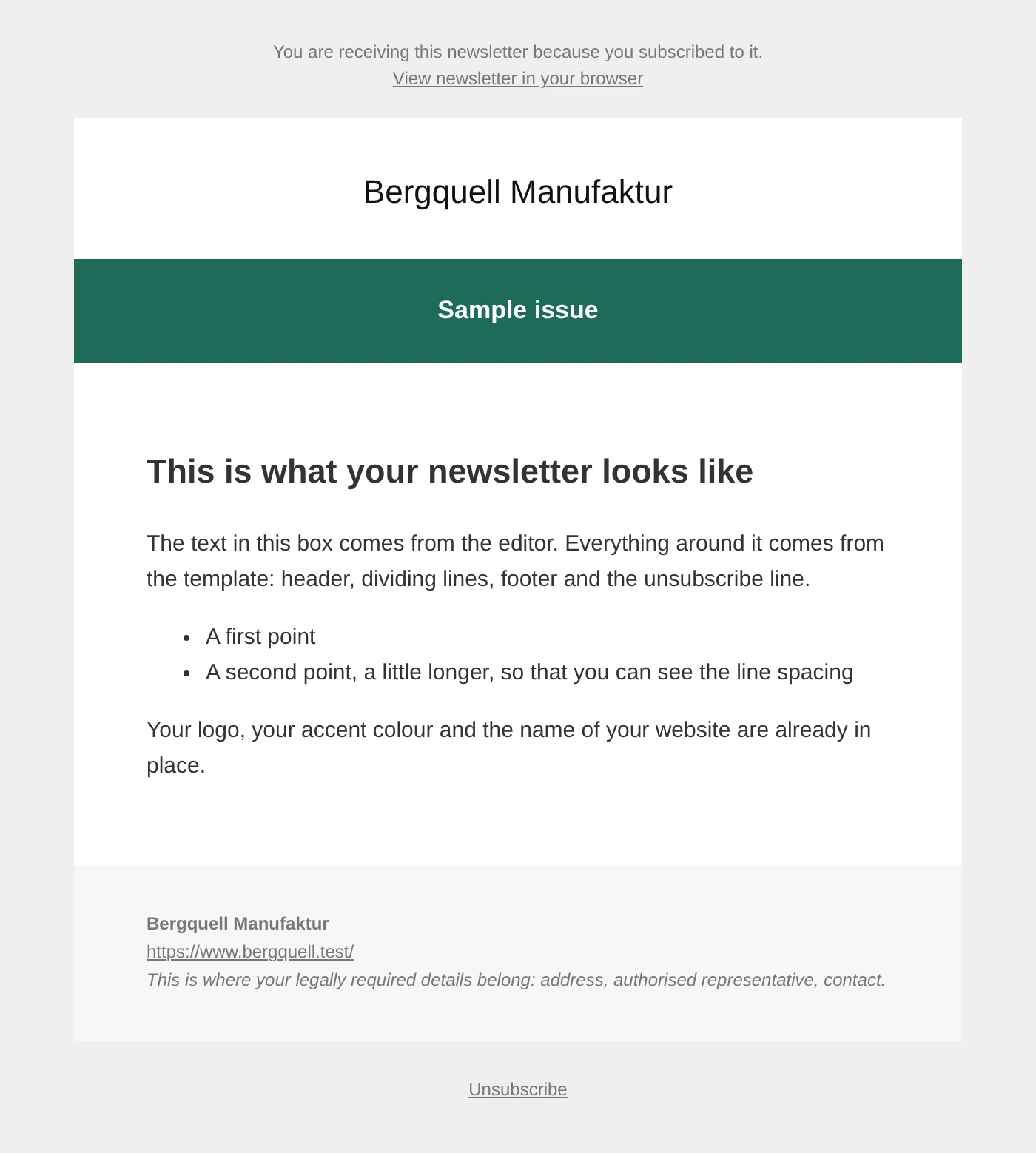
Logo above a coloured bar carrying the name of the issue. The choice when the newsletter should carry a brand.
Rahmen — „frame" · Lite
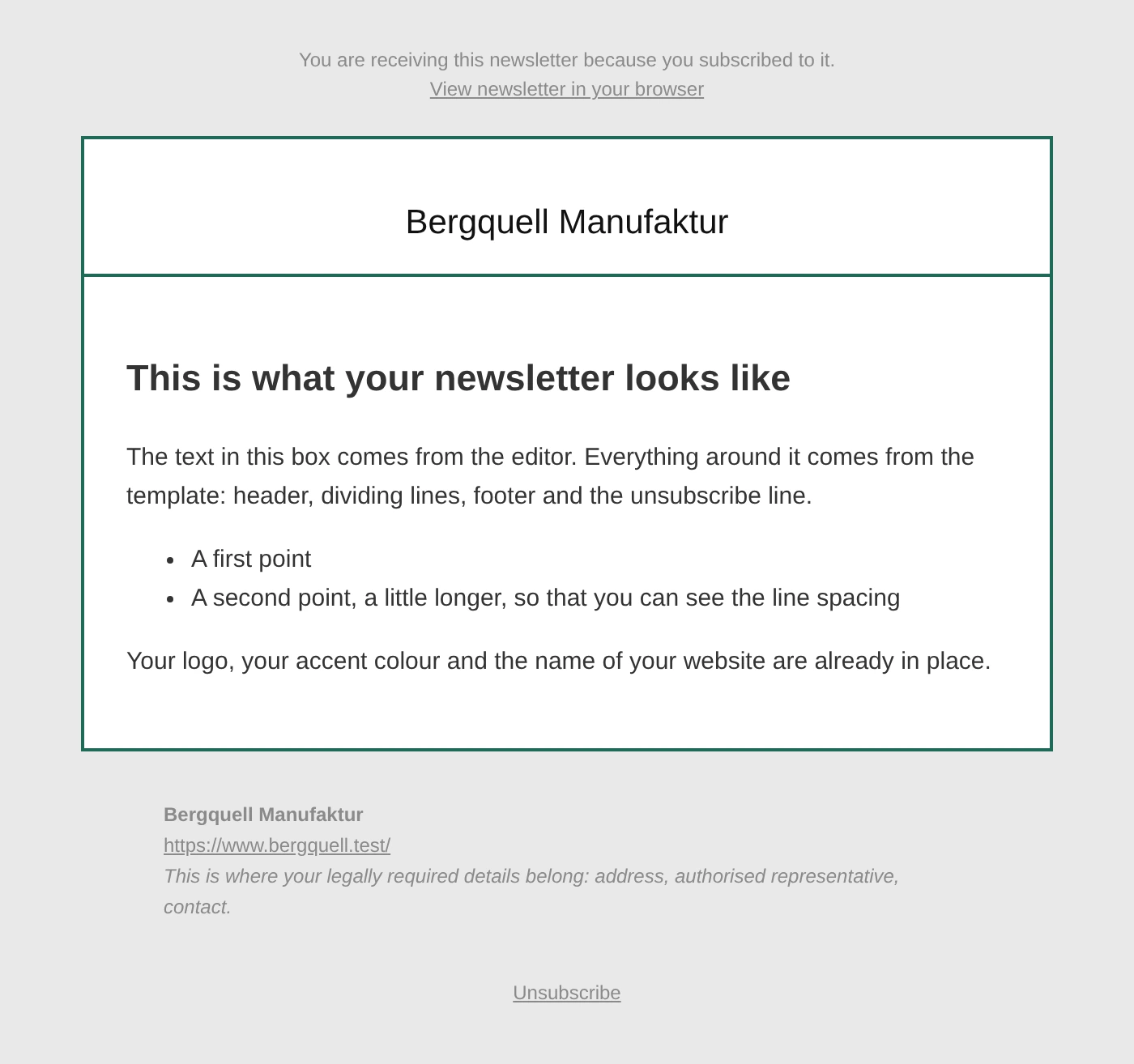
A white card with a coloured border on a tinted background. Lifts the content out of the mailbox.
Zeitung — „newspaper" · Pro
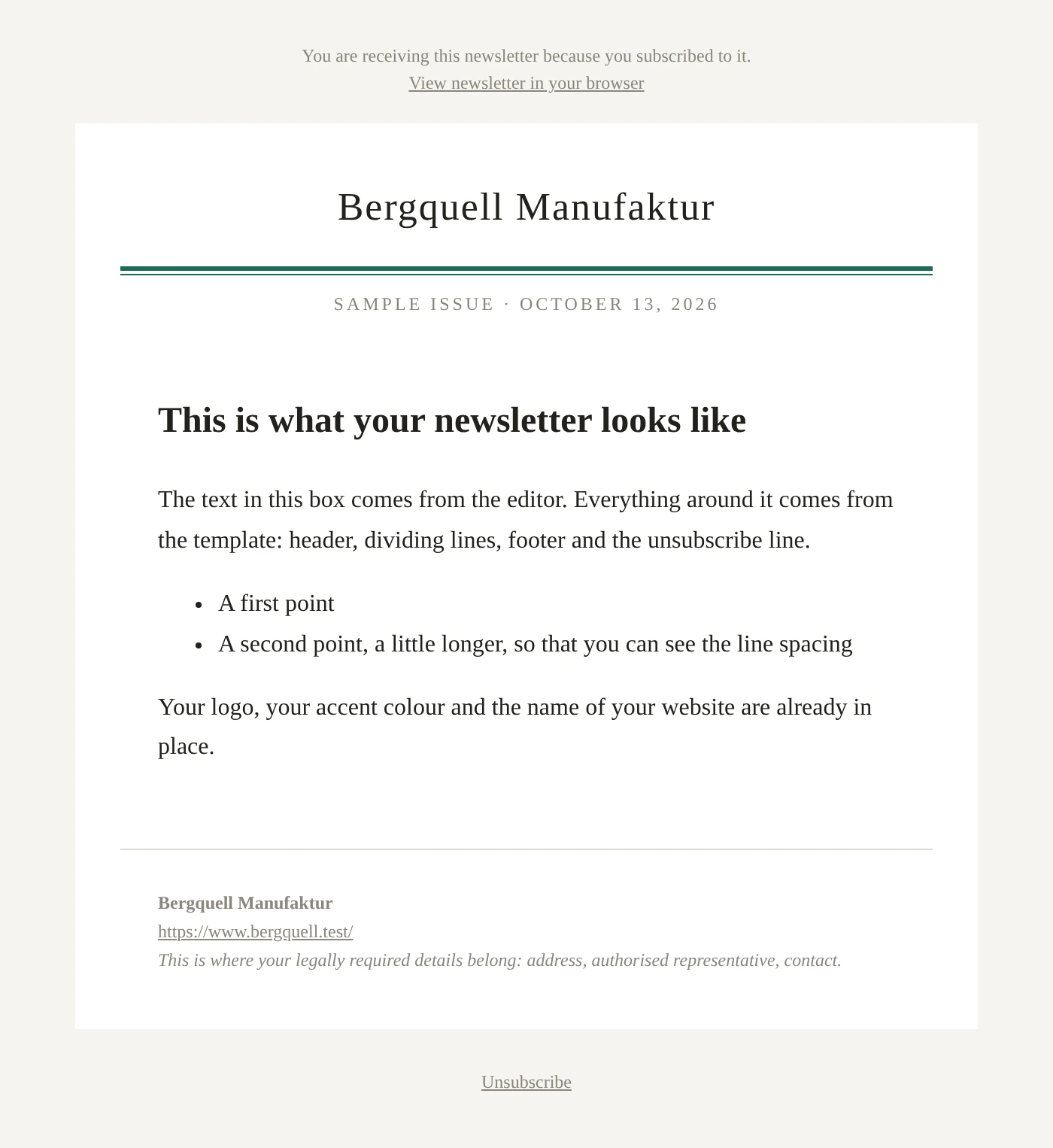
Serif type, a date line, a double rule under the header. For issues that get read rather than skimmed.
Karte — „card" · Pro
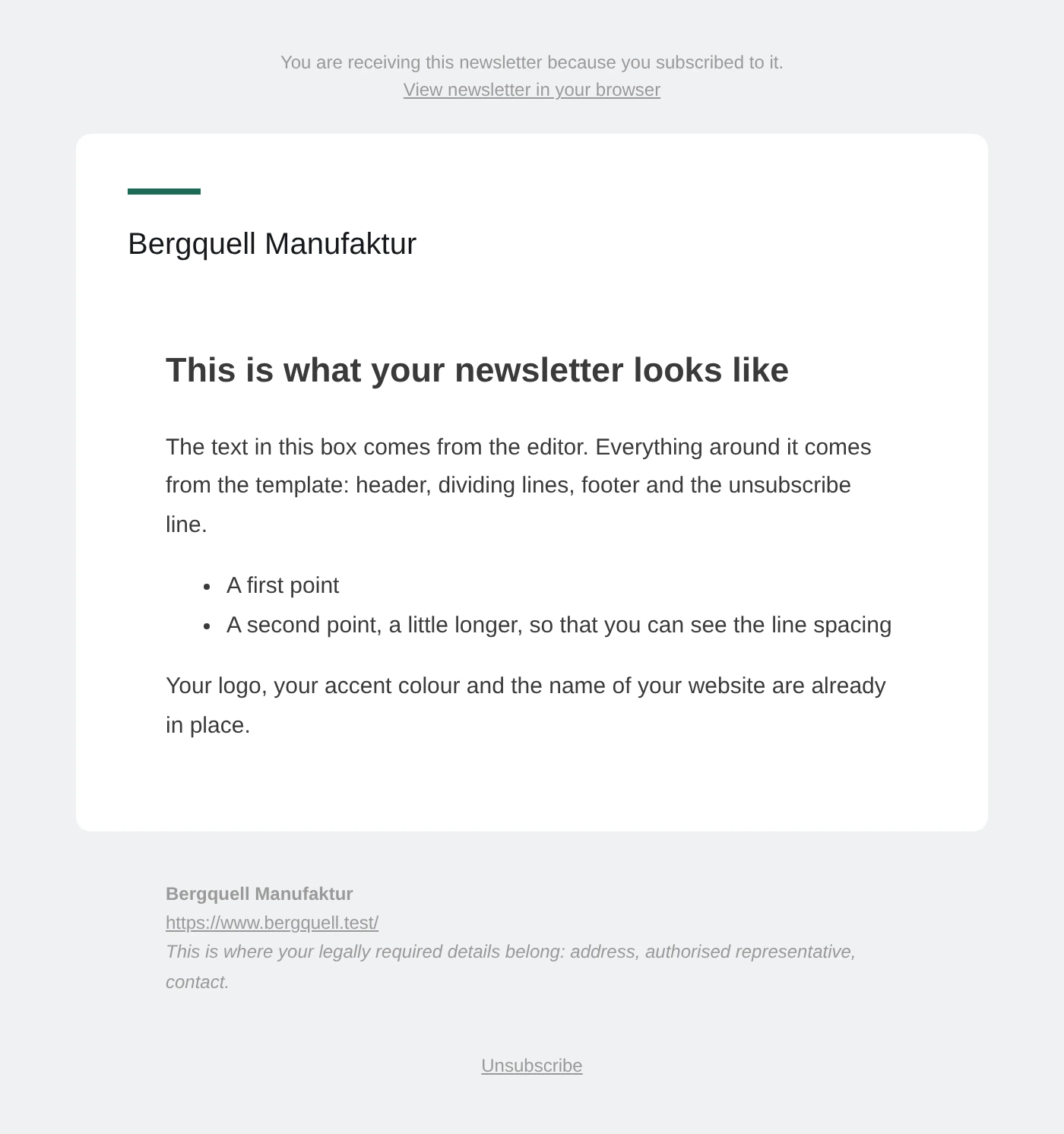
Rounded corners, plenty of air, a short accent line above the title.
Breit — „wide" · Pro
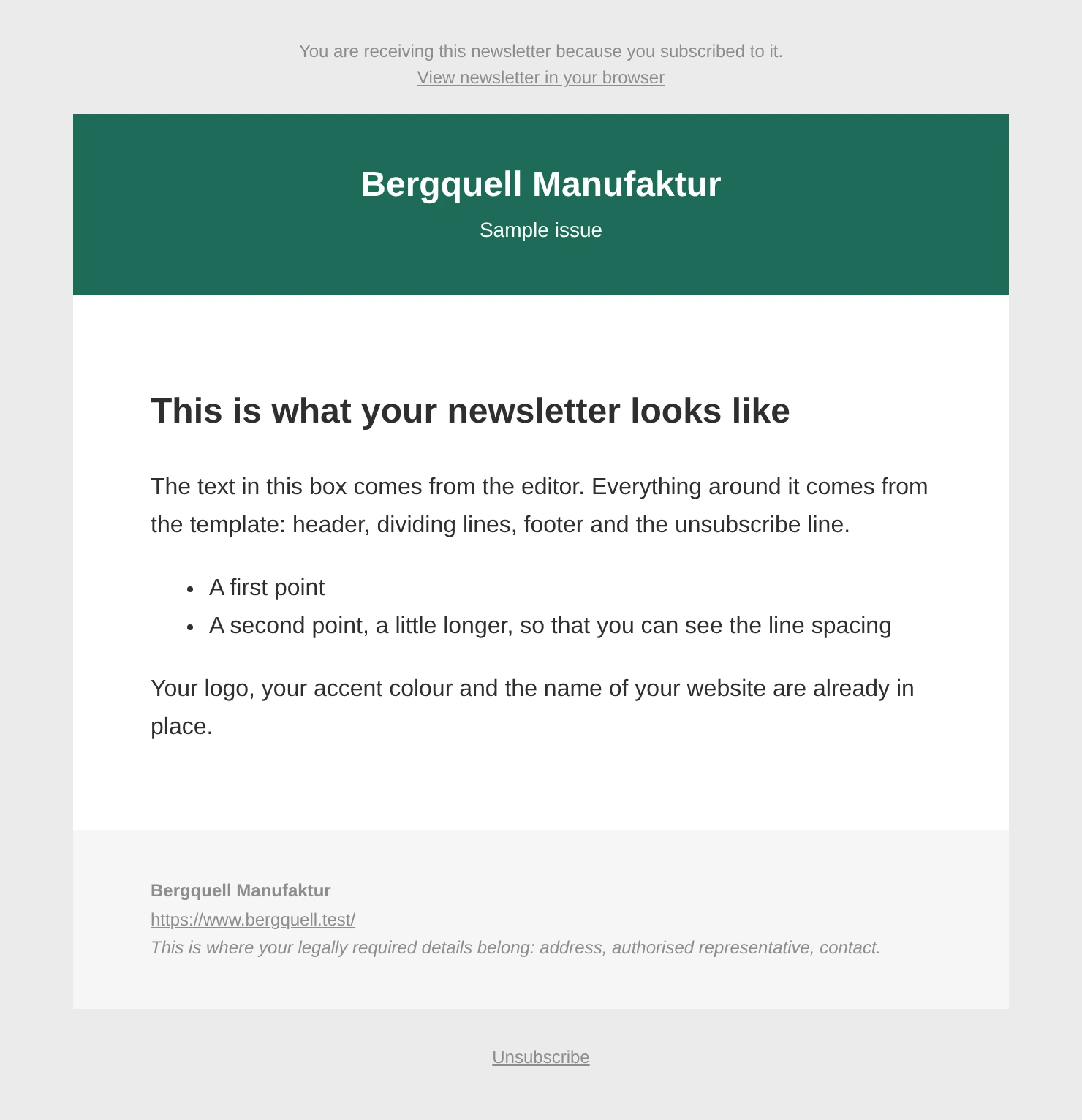
640 instead of 600 pixels, a coloured header area across the full width. For newsletters with images.
Dunkel — „dark" · Pro
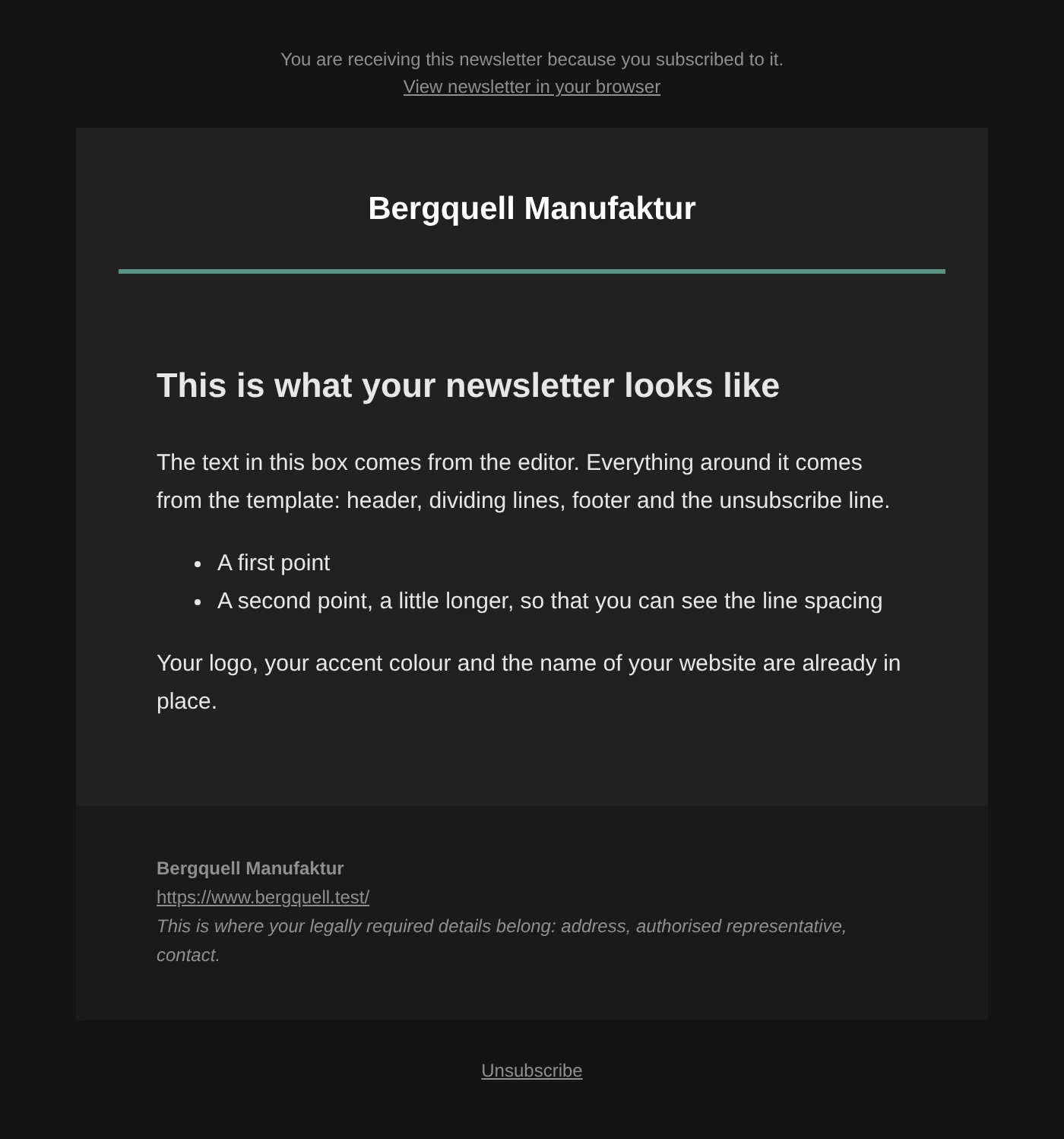
Light text on a dark background — always, regardless of the recipient's device.
Dunkel shows the name instead of the logo
A dark logo on a dark background disappears, and the template has no way of knowing whether your logo is light. If you want this template with a logo, store a custom image in a light version under Defaults.
Kompakt — „compact" · Pro
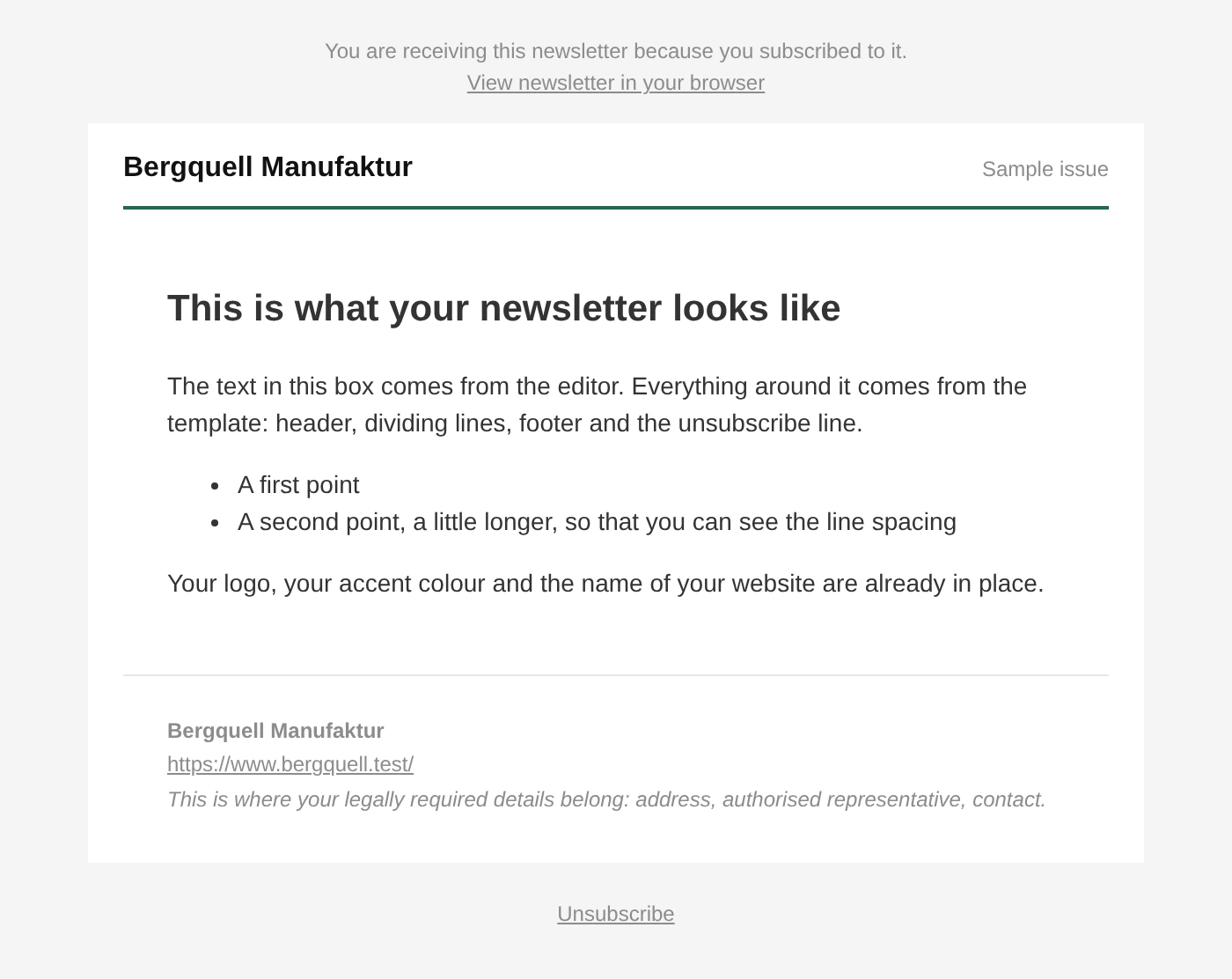
Tight lines, small type. For short issues that come often.
Zweispaltig — „two-column" · Pro
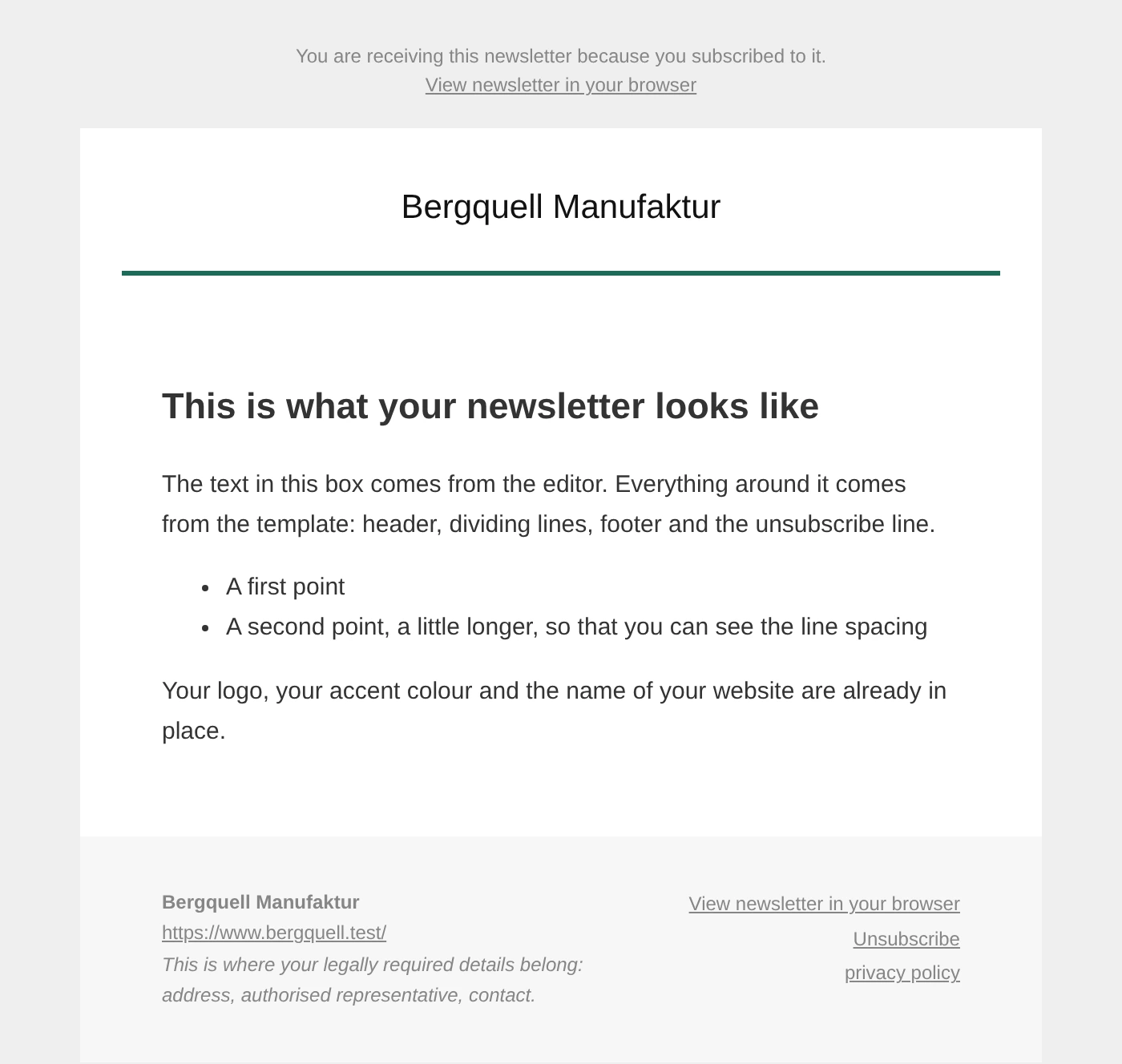
Content in one column, footer in two — for legal details next to contact details.
Brief — „letter" · Pro
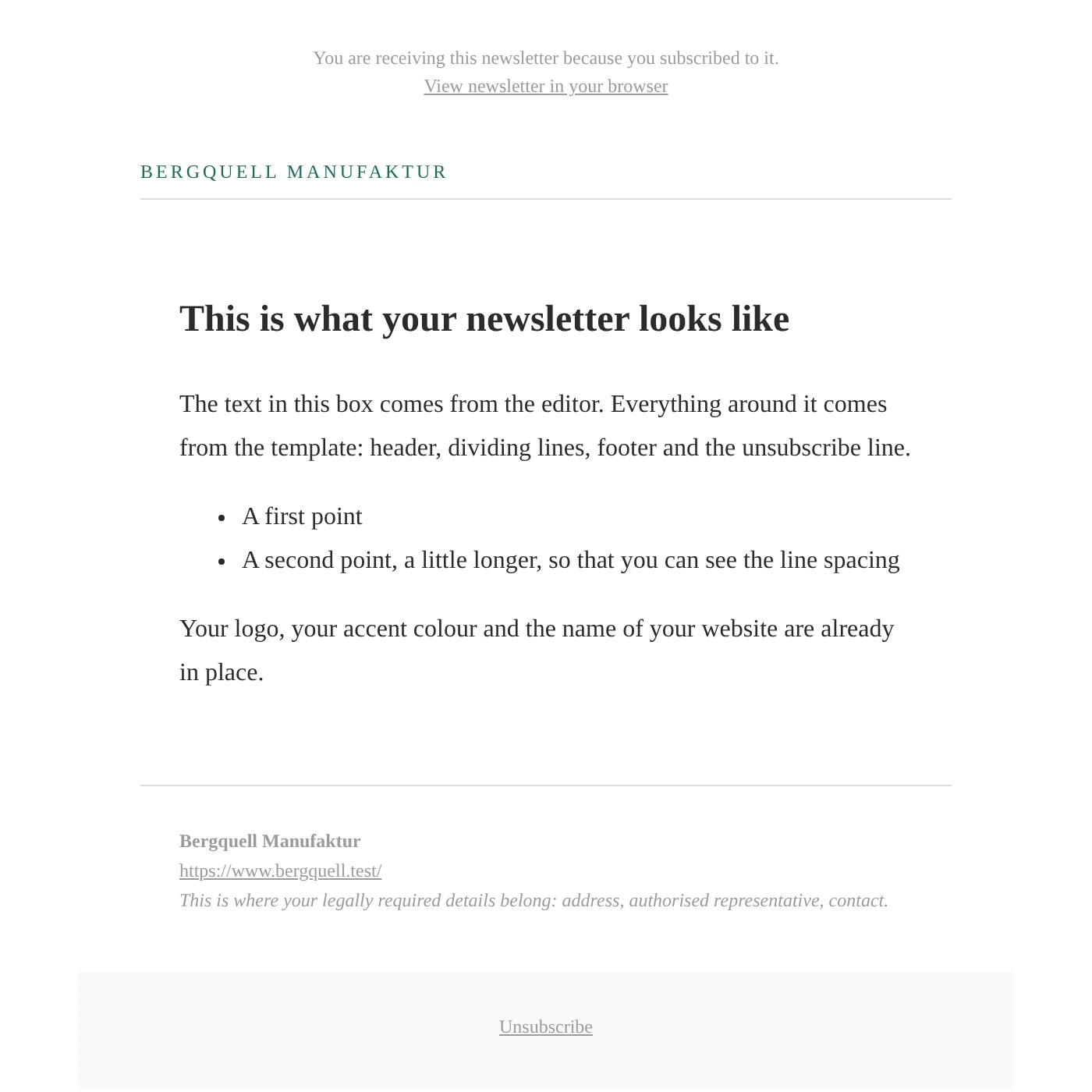
Sender line, wide margins, serif type. Reads like a letter and not like a mailshot.
From earlier versions
Under a heading of their own, the gallery still lists Standard and Beispiel. They came with version 1.
They stay because newsletters that have already been sent name them explicitly — a template that disappears takes the shape of every archived issue with it. For a new newsletter there is no longer any reason to pick them.
What changes for existing installations
Nothing. Anyone who has already chosen a layout keeps it through the update. Only a fresh installation has suggested Schlicht instead of Standard since 2.0.
The accent colour
Newsletter → Configuration → Settings → Defaults → Accent colour
In all supplied templates it colours the header bars, buttons and dividers. The text on top turns black or white by itself, whichever stays legible — you do not have to pick a second colour and cannot paint yourself into an unreadable combination.
Your own layouts are left untouched.
The logo
Four settings under Defaults decide what appears at the top of the mail:
| Setting | |
|---|---|
| Logo in the newsletter | Site logo · Custom image · None, the site name |
| Custom logo | An image from the media library. Applies only with Custom image |
| Alignment | As the template intends, left, centre, right |
| Maximum width | Between 40 and 600 pixels, default 280 |
With Site logo the plugin looks in this order:
- the theme's logo (Customizer → Site Identity → Logo),
- the site icon (favicon),
- nothing else — the template then writes the name of the site as text.
If no logo appears in the newsletter
Then none is stored in the Customizer. That is the most common case, and the plugin cannot guess it.
A newsletter often needs a different logo from a website: one with padding around it, or a light version for the Dunkel template. That is what Custom image is for.
What is stored is the image's ID, not its address — replace the file in the media library and you have replaced it in the newsletter too.
The legal details in the footer
Every template carries a line in italics in the footer:
Your legal details belong here: postal address, authorised representative, contact.
It is visible there on purpose. A newsletter is business communication and needs the same details as your imprint. A placeholder that looked inconspicuous would be left standing.
There are two ways to replace it:
- Create your own version of the template (see below) and swap the sentence there. The clean way if you are staying with one template.
- Write the details into the content, right at the bottom of the editor. More cumbersome, but without a file of your own — and you have to remember to carry them into every issue. The Copy button in the newsletter list helps with that.
A template of your own
Templates are PHP files. The quickest way to your own is a copy of a supplied one.
Do not work inside the plugin folder
A file under wp-content/plugins/…/views/layouts/ is gone with the next
update. Your own templates belong in one of the two places below.
| Place | Path |
|---|---|
| In the theme | <your theme>/wpng_views/layouts/ |
| In the uploads directory | wp-content/uploads/wpng/user_views/layouts/ |
A file in one of these places replaces the supplied one of the same name. A file with a new name is added as a further template — in the gallery and in the newsletter's selection list.
The head of the file
<?php
/**
 * Vorlagenname: Our house letter
 */
defined( 'ABSPATH' ) || exit;
?>
The line Vorlagenname: sets the name in the selection. Without it the file
name appears there. Only the first 2 KB of the file are read.
The line defined( 'ABSPATH' ) || exit; is mandatory. Without it the file
can be called directly through the browser.
What a template must contain
<?php echo $this->view['content']; ?>
The content from the editor. Nothing is escaped here — it is HTML, and it is supposed to stay HTML.
<?php $this->callMods( 'html_content', array( &$this->view['abonnent'], &$this->view['nl'] ) ); ?>
The hook for the modules. Among other things, the tracking pixel of the Statistics hangs on it. Without it, no opens are counted — and there is no error message.
Also available: $this->view['name'] (the name of the newsletter, already
escaped) and $this->view['abonnent'] (the subscriber object or false).
You write placeholders as %name% directly into the
template. The ones mostly needed there are %deregisterurl%,
%deregisterformurl% and %nl_onlineurl%.
Four rules that came out of mistakes
1. No universal selector. * { … } also hits your content from the editor.
Up to 2.0, standard.phtml used it to set font-weight: normal on
everything — what the operator wrote in bold arrived normal. It did not show
in the preview because the browser uses the same stylesheet there.
2. Doctype, language, viewport and colour scheme in the head.
<!DOCTYPE html> on the first line, otherwise webmail clients compute in
quirks mode. <html lang="…"> for screen readers. <meta name="viewport">,
otherwise a phone draws the mail 980 pixels wide and shrinks it. And
<meta name="color-scheme" content="light"> — without it, Apple Mail darkens
a light mail by itself and recalculates the colours.
3. No unit in the width attribute. width="600px" is invalid and gets
discarded; it is width="600". The pixel value goes in additionally as a
style, because Outlook reads the attribute and the other programs read the
style.
4. Everything that points outward belongs in the package. No stylesheet from a foreign server, no font from Google. A mail program will not load it, and where it would, it would be a data protection problem.
What happens with the next update
Nothing. Your files sit outside the plugin folder and are not touched. If a supplied template comes in a new version, you will not get it as long as a file of your own with the same name sits on top of it — that is the whole point, but do take a look after a major update.
A dark mode that follows the device
There is none, deliberately. The display programs handle
prefers-color-scheme far too differently:
| Program | What it does |
|---|---|
| Apple Mail | reads prefers-color-scheme and color-scheme |
| Outlook.com, Outlook mobile | rewrites colours, in its own syntax |
| Gmail app | inverts stubbornly and ignores media queries |
| Outlook for Windows | follows the Office theme |
So only what works reliably is done: every template declares its scheme, so that the programs which read it leave the colours alone. The Dunkel template is something else than a dark mode — it is always dark, and you choose it.