With wpShopGermany
Ahoi works without a shop. If the shop plugin wpShopGermany is installed, Ahoi styles the shop pages as well: product pages, product lists, basket and checkout take colors, fonts, buttons and input fields from Ahoi, in light and dark. Ahoi does not contain a shop itself; all shop features come from wpShopGermany.
wpShopGermany is a German shop plugin, and its admin is in German. The names of its settings are given here in German.
Requirement
Under wpShopGermany → Konfiguration → Einstellungen → Darstellung, set Darstellung der Shopseiten (look of the shop pages) to An das Theme angepasst (adapted to the theme). For a new installation of wpShopGermany it is already set.
So that clicking a product image shows it enlarged in full screen, turn on fsLightbox (Fullscreen Lightbox) einbinden (JavaScript) (load fsLightbox) under wpShopGermany → Konfiguration → Einstellungen → Bibliotheken/Includes (manual of wpShopGermany, German). Ahoi does not load this library itself; without the option, the click only opens the image file. From wpShopGermany 4.7.0, the shop loads it itself as soon as a product page shows images that can be enlarged; the option is then no longer needed.
With Klassisch (classic), wpShopGermany brings its own styles and Ahoi does not touch the shop pages. Only "Account" and the basket in the header are still styled by Ahoi.
What "An das Theme angepasst" changes in the shop is described in the manual of wpShopGermany (German).
What changes with the shop
Header
The header also shows Account, the link to the customer account (with the Kundenverwaltung module), and the basket. The basket shows the number of items and the total. On phones, the basket stays in the header line as an icon; "Account" and the basket are also listed in the navigation overlay.


Footer
Below the site title and tagline, the footer shows the address and email from wpShopGermany → Konfiguration → Shopinfo (Header and footer). Instead of the columns for site and blog, it shows the pages from the settings of wpShopGermany:
| Column | Links |
|---|---|
| Shop | Basket, My account |
| Help | Shipping and payment, Cancellation policy, Cancellation form |
| Legal | Imprint, Privacy, Terms and conditions |

If a page is missing in the shop settings, its link is missing; a column without links is left out. For "Privacy", Ahoi takes the page from wpShopGermany, otherwise the one from Settings → Privacy. As with any footer: after saving it in the Site Editor, the links stay as they are (Header and footer).
From wpShopGermany 4.7.0, Ahoi tells the shop which legal pages the footer links to. wpShopGermany leaves exactly these pages out of automatic page lists, for example out of the menu WordPress creates when there is no menu of your own; its technical pages such as the checkout or "Zahlung erfolgreich" are left out there anyway. This is based on the footer as it is output, also after you have saved it. A menu you put together yourself is not affected.
Customer account
With the Kundenverwaltung module (customer management), wpShopGermany brings the pages of the customer account, such as profile and orders. Ahoi aligns the page title with the account navigation and the list of orders. On a phone, the account navigation stays on one line; if it does not fit, you can swipe it sideways, and a soft edge shows that there is more. "Abmelden" (log out) is on the right on wide screens and the last item on a phone. wpShopGermany styles the list of orders itself.
Shop pages
When wpShopGermany creates a new page with shop output in the "An das Theme angepasst" look, such as the product detail page or the customer profile, it gives it the Page without title template, because it brings its own heading. Pages with plain text such as terms and conditions or the imprint get the template with title. Existing pages stay as they are. Give the basket page with the checkout the Checkout template (Checkout).
Product reviews
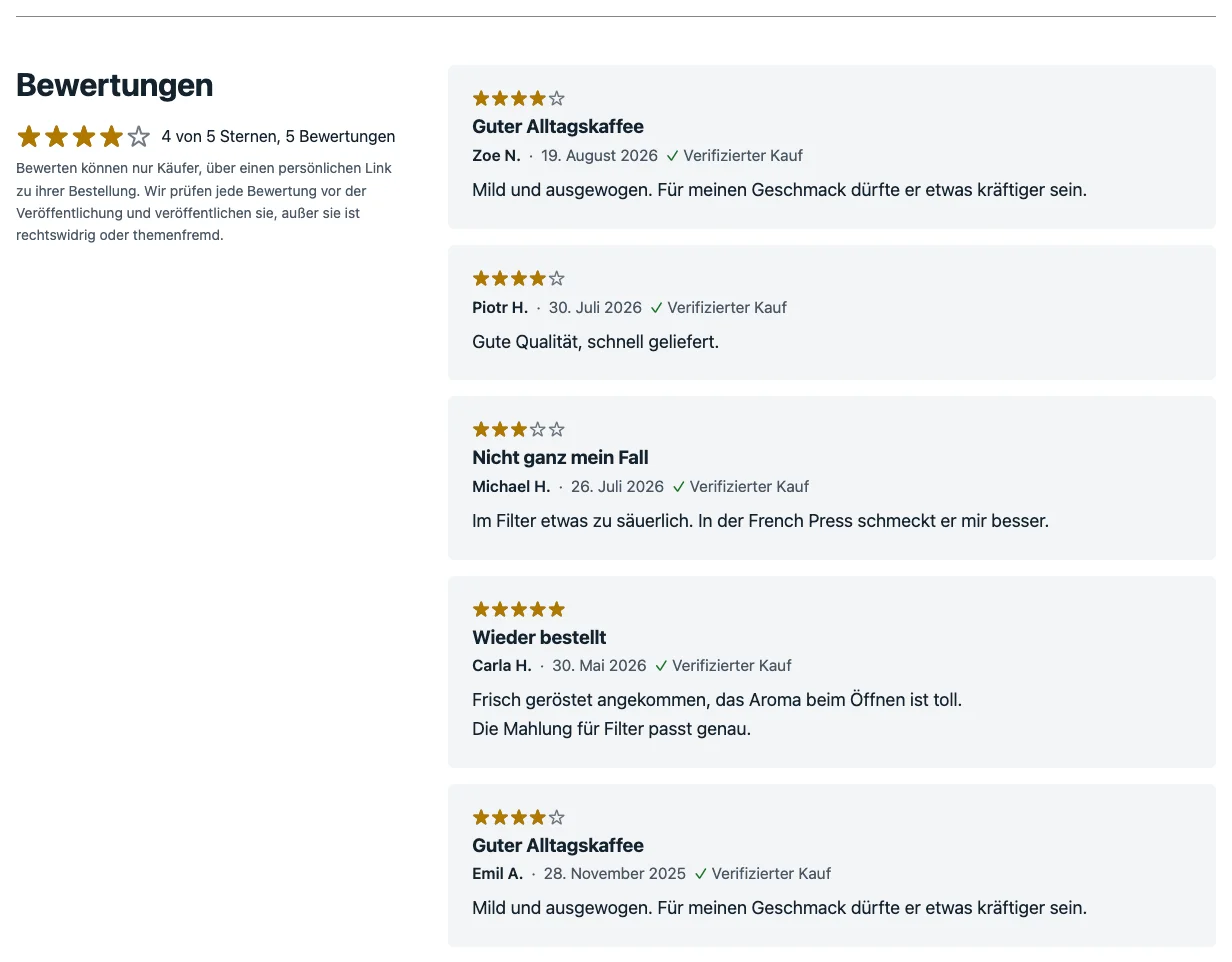
With the Produktbewertungen module (product reviews, German) of wpShopGermany, Ahoi shows each review as a card on a tinted background: stars, title, name, date and "Verifizierter Kauf" (verified purchase), with the text below. On the product page, the reviews are set in two columns from a window width of 900 px: on the left the heading, the overall rating and the note on authenticity, on the right the cards. On a phone and in the Produktbewertungen block they are stacked.
Patterns for the shop
With wpShopGermany, the block inserter has a Shop category with these patterns:
| Pattern | Content |
|---|---|
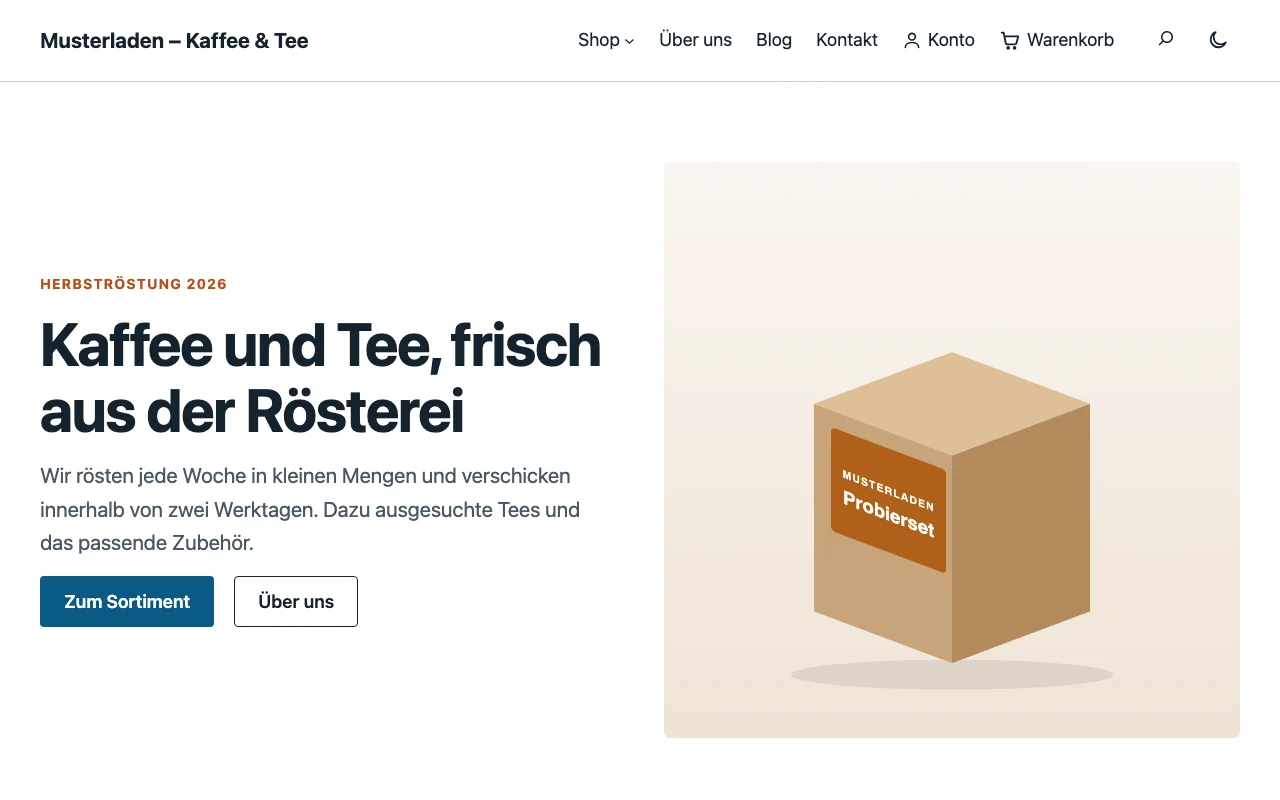
| Shop start page | hero with image, the product categories as cards (with the Produktartikel module), "New in the shop" with products, three promises, call to action band |
| Promotion | coral banner for a seasonal offer or a discount, the products of the offer, the conditions, three promises. You choose the products in the settings of the product list. |
| Shop categories | the product categories as cards with name, number of products and description, followed by the newest products. WordPress fills in the cards. Only with the Produktartikel module. |
| Shipping and payment | table of shipping costs and delivery times, payment methods as cards; placeholders only, no legal text. Also available without wpShopGermany, then under "Text". |
| Products | heading and a product list with eight products in four columns |
| Product in focus | eyebrow, heading and text next to one product, at first the newest. You choose another product in the settings of the product list. |
| Shop categories (section) | heading and the product categories as cards. Only with the Produktartikel module. |
The first four are patterns for whole pages: they also appear in the Choose a pattern window for a new page and suit the "Page without title" template. The others are sections that you insert into a page.
Since wpShopGermany 4.7.0, the preview and the editor also show the categories as cards; with older versions they show a grey bar, and the cards only appear on the page.
Without wpShopGermany, the category and all its patterns except "Shipping and payment" are missing.
Colors in the shop
Ahoi shows notices, error and success messages of the shop in colors that are easy to read on every palette, light and dark. Labels on product images, such as "Neu", use the accent color.