Design
Ahoi is a block theme. Everything you change about its look, you change in the Site Editor under Appearance → Editor. Ahoi has no Customizer and no settings pages of its own.
On the left, the Site Editor has these sections:
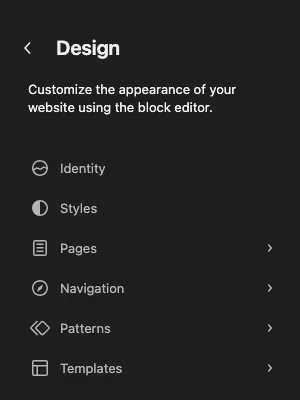
| Section | What you change there | In this manual |
|---|---|---|
| Identity | site title, tagline, logo and icon | Installation |
| Styles | color palette, font pair, colors, typography, spacing, the look of single blocks | Colors and fonts, Your own colors |
| Pages | view and edit the pages of the site | – |
| Navigation | menus | Header and footer |
| Patterns | patterns and template parts such as header and footer | Patterns and block styles, Header and footer |
| Templates | the layout of each kind of page: page, post, blog, archive, search, 404 | Templates |
Undoing changes
What you save in the Site Editor is stored in the database and takes precedence over what the theme brings. An update of Ahoi does not overwrite it. In turn, improvements from an update no longer reach a template or template part you have saved yourself.
- Styles: Under Styles, open the More menu at the top right and choose Reset styles. This removes all your own styles, including the choice of palette and font pair.
- Template or template part: In the list under Templates or Patterns, open the menu of the entry and choose Reset.
Additional CSS
Under Styles → More → Additional CSS you can add your own CSS rules. The field is empty in Ahoi; your rules are added to those of the theme and take precedence.