Templates
A template defines how a kind of page is built: header, content, footer. You find them all under Appearance → Editor → Templates and can change each of them there.
The templates of Ahoi
| Template | For | Layout |
|---|---|---|
| Index | the blog and everything without a template of its own | heading "Blog", list of posts with page numbers |
| Single Posts | a post | breadcrumbs, category, title, author and date, featured image, content, tags, previous and next post, comments |
| Pages | a page | title, featured image, content |
| All Archives | categories, tags, authors, months | title and description of the archive, list of posts |
| Search Results | search | title, search field, results as cards of equal size; post and product images fully visible in a 3:2 frame (Search results) |
| Page: 404 | address does not exist | message and search field |
Search results
The search shows each result as a card like the "Card" block style, all of the same size. Post and product images are shown in full inside a 3:2 frame instead of being cropped. Blog and archives keep their post list.
Templates for single pages
You choose these three templates for a particular page: open the page in the block editor, click Template on the Page tab of the sidebar, choose Change template and click the template in the dialog.
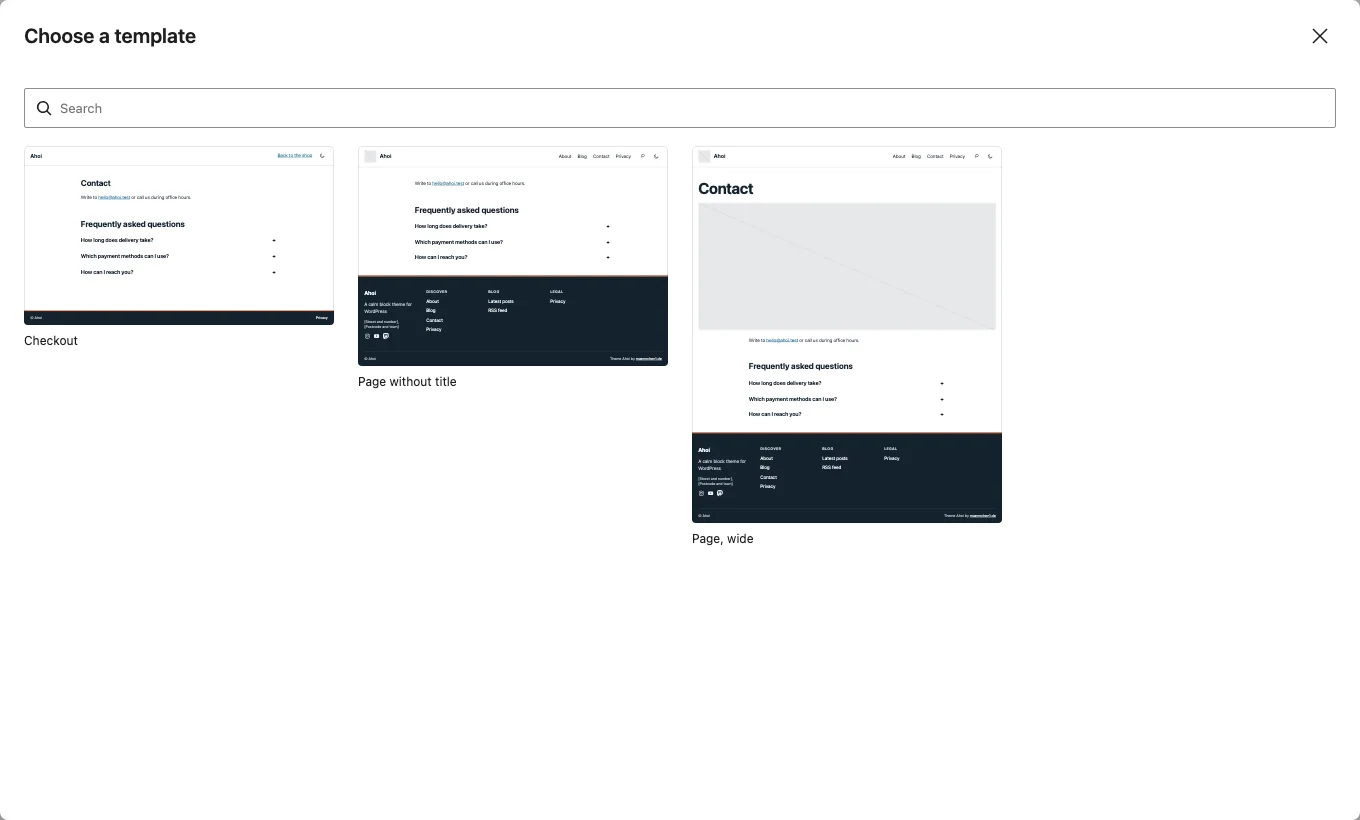
| Template | When |
|---|---|
| Page without title | The page brings its own main heading, for example from a pattern such as "Home page" or "About us". wpShopGermany gives it to new pages with shop output. |
| Page, wide | Like "Pages", but the title is as wide as wide blocks. Suits pages that start with a wide image or wide columns. |
| Checkout | A slim header and footer without a menu, so that nothing distracts from buying. Meant for the basket of wpShopGermany (Checkout). |
Content width
Text sits in a reading column of 760 px, wide blocks go up to 1200 px (47.5 and 75 rem, so they grow with the browser's font size), full-width blocks span the whole page. You change the widths under Styles → Layout.