Colors and fonts
Ahoi comes with ten color palettes and eight font pairs. You choose palette and font pair independently. Your choice applies to the whole site; visitors only see the result and can only switch between light and dark.
Choosing a palette and a font pair
- Open Appearance → Editor → Styles.
- Choose Browse styles.
- Click a palette under Color Variations and a font pair under Typography. The large preview on the right shows the result at once. It shows the content of the home page with its title, without header and footer.
- Click Save at the top.
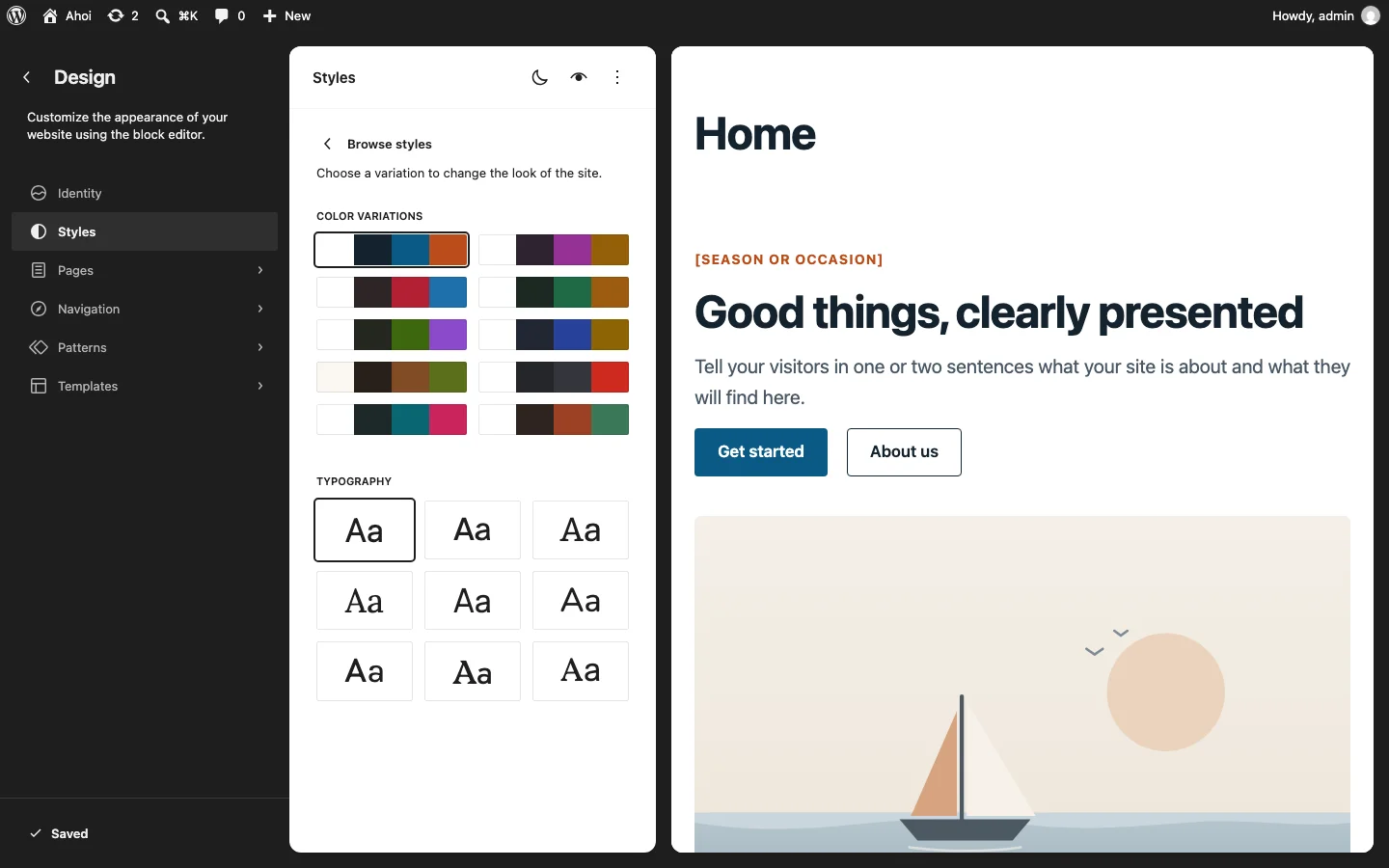
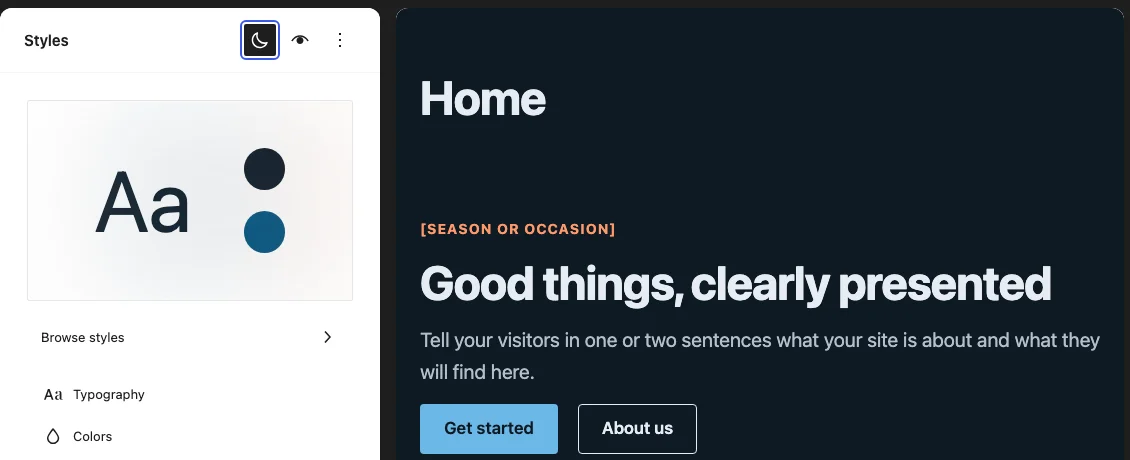
Each palette has a light and a dark version. Which one the preview shows depends on the setting of your device. The button with the moon icon at the top next to Style Book switches the preview without changing your device; hover over it to see its name, Dark preview. It only switches the preview between light and dark; it changes no setting of the site and remembers nothing. The color swatches and palette tiles on the left stay as they are.
The palettes
| Palette | Main color | Accent |
|---|---|---|
| Default | blue | coral |
| Fir | green | ochre |
| Cherry | red | blue |
| Berry | purple | mustard |
| Slate | anthracite | red |
| Sand | brown on a warm background | olive |
| Teal | teal | pink |
| Navy | dark blue | gold |
| Terracotta | reddish brown | green |
| Lime | green | purple |
All palettes are tuned so that text, links, buttons and field borders reach the contrast of WCAG 2.2 AA in light and dark. If you want to pick single colors yourself, read Your own colors first.
The font pairs
The first font is for headings, the second for text. If only one is named, it is used for both.
| Font pair | Character |
|---|---|
| Default | the system font of the device, loads no font file |
| Vollkorn & Instrument Sans | classic serif over a clear sans |
| Platypi & Jost | soft serif, geometric text |
| Manrope & Instrument Sans | modern sans for both |
| Lora | serif for headings and text |
| Bitter & Public Sans | sturdy serif over a neutral sans |
| Atkinson Hyperlegible Next | designed for legibility |
| Outfit & Karla | geometric over a friendly sans |
| Nunito | rounded shapes |
The fonts are part of the theme and are loaded from your server, not from Google or any other external server. All are licensed under the SIL Open Font License.
You change font sizes, line heights and single fonts under Styles → Typography.